Most traders already know TradingView as “that nice free charting site”.
You open it for clean charts, indicators, and ideas…
then you jump back to your broker, exchange, or spread-betting platform to actually place the trade.
It works, sort of. But it also means:
- One place to think
- A different place to act
This post is about a simple question:
Does it make sense to turn TradingView into your main trading screen – not just a free add-on?
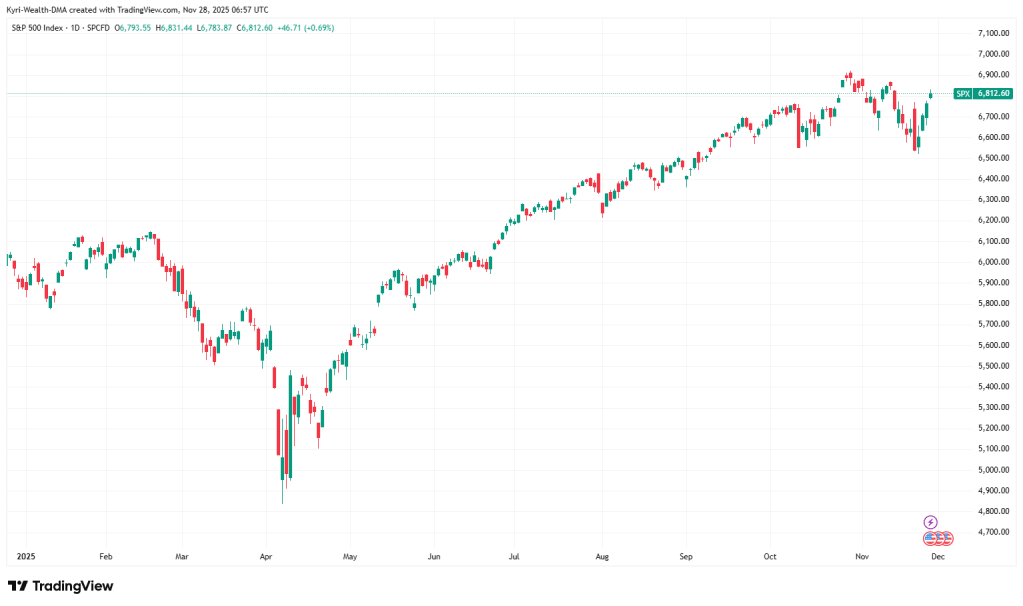
Why the screen you trade on matters more than your favourite indicator
When you trade — whether it’s stocks, FX, indices, crypto, whatever — you’re making decisions under:
- Time pressure
- Emotional pressure
- And, if we’re honest, sometimes too much size
In that moment, the thing you’re really interacting with is your screen:
- How fast can you place or adjust an order?
- Can you see your risk and target clearly?
- Do you know exactly where to click, even when your heart rate is up?
If your platform is clunky, laggy or confusing, you get:
- More mis-clicks and “oh no” trades
- More hesitation at key levels
- More stress just trying to see what’s going on
The edge isn’t just in your ideas — it’s in how cleanly you can execute those ideas.
What you already get from free TradingView
The reason everyone uses TradingView on the side is simple: even free, it’s good.
You get:
- Clean, fast charts
- Loads of built-in indicators
- Easy drawing tools
- Watchlists
- Basic alerts
- A big community of ideas and scripts
For analysis, it’s hard to beat.
But that leads to the real question:
If you already trust TradingView for analysis, why is your execution happening somewhere else?
What actually changes when you trade from TradingView
When you connect a compatible broker to TradingView and place trades from the charts, a few big shifts happen.
1. You trade from the chart, not a random ticket
Right now, a lot of traders:
- Analyse on TradingView
- Flip to their broker/exchange
- Re-enter the same trade in a totally different interface
Every hop is a chance to:
- Type the wrong size
- Mis-place a stop
- Chase the price because it moved while you were faffing
When you trade from TradingView:
- You place orders directly from the chart
- You drag your stop and target visually
- You see entries, stops and targets drawn on price
You’re not translating your idea into another system — you’re executing where you made the decision.
2. One consistent look and feel, across everything
Whether you’re trading:
- FX pairs
- Index futures
- Individual stocks
- Crypto pairs
…the way the chart behaves is the same:
- Same layout logic
- Same indicators
- Same colour scheme
- Same buttons in the same place
Your brain isn’t relearning a new platform every time you change market. That frees up attention for reading price, not fighting the interface.
3. You build proper “trading setups”, not chaos
In most broker/exchange platforms, you’re stuck with whatever layout they give you.
In TradingView, you can build workspaces around how you think, for example:
- A “macro + swing” layout (daily + 4H, higher-timeframe bias)
- An “intraday index” layout (15m + 1m, specific indicators, levels, and alerts)
- A “crypto session” layout (favourites watchlist, volume tools, key levels marked)
You can name them, save them, and load them with one click.
Over time, those layouts become familiar “stations” your brain recognises instantly — which matters when markets move fast.
4. Alerts do the waiting, you just respond
Instead of staring at charts for hours:
- You set alerts at your levels
- TradingView pings you when price gets there
- You come back to the chart when it actually matters
That’s less screen-time, less randomness, and more focused decision-making.
So what’s the catch?
Nothing magical, but a few honest points:
1. TradingView is the screen, not the broker
TradingView is the front end. The actual:
- Execution
- Spreads / fees
- Fills and slippage
- Account safety
…still come from the broker or exchange you connect.
Good broker + TradingView = great combo.
Bad broker + TradingView = pretty charts, same headaches.
You still need to choose where you trade carefully.
2. The free plan does have limits
You can absolutely stay on the free version forever.
But if you want:
- More charts per layout
- More alerts
- Multiple devices and layouts running smoother
- Some advanced tools
…you’ll bump into the free limits and start looking at Pro / Pro+ / Premium.
That’s fine — just only upgrade if you’re actually going to use what you’re paying for.
3. Extra data can cost
For some exchanges and markets, you may want official real-time data. That’s another small subscription on top.
For many traders, especially in very liquid markets, the default feeds are enough. It’s a nice-to-have, not a must-have on day one.
When is it actually worth going beyond the free version?
Forget FOMO. Use this simple check:
Ask yourself:
- How often do I trade?
- A few trades a month → free charts + your current platform is probably fine.
- Most days / multiple times per week → platform friction starts to cost money.
- Does my current trading setup annoy or confuse me?
- If you dread opening your platform, that’s not a good sign.
- If you like using TradingView, that’s a clue where your cockpit should be.
- Would I genuinely use more alerts, more layouts, and better workspaces?
- If yes, an upgrade is a tool.
- If no, keep it simple and stay free.
If you’re active and your current flow feels messy, then yes — using TradingView as your main screen is definitely worth testing.
How to test this without doing anything extreme
You don’t need to move your whole life overnight. Here’s a sane way to try it:
Step 1 – Notice where your current setup hurts you
For a week, just observe:
- Where do you hesitate?
- Where do you type the same numbers twice?
- Where do you make “stupid errors” that aren’t about your strategy at all?
Write those down. That’s your personal “platform pain list”.
Step 2 – Build a serious TradingView workspace
Still on free, do this:
- Build proper layouts around how you trade
- Clean up your indicators (use what you actually need)
- Create focused watchlists
- Set alerts around your real levels
Treat TradingView as if it’s your main screen, even if you’re still clicking “buy/sell” elsewhere.
Then ask: “Does this feel calmer, clearer, easier?”
Step 3 – If it does, then look at upgrading and connecting
If you find yourself wishing you had:
- More alerts
- More charts per layout
- Better workspace flexibility
…that’s when going beyond free starts to make sense.
Where to go from here (TradingView + optional live test)
If you’re curious about unlocking more of what TradingView can do, you can start here:
Check TradingView’s current offer and plans (affiliate link):
https://www.tradingview.com/black-friday/?aff_id=160147
Have a look at the plan comparison, see what fits how you actually trade, and only upgrade if it genuinely matches your needs.
And if you want to feel it live from the chart…
Once you’re comfortable in TradingView and you like working from that screen, the next optional step is:
Test trading straight from the chart with a broker that integrates with TradingView.
One example you can look at is Vantage, which offers TradingView as one of its platforms:
- Platform info & overview:
https://www.vantagemarkets.com/trading-platform/tradingview/
If you decide you want to try that setup — ideally starting small or on demo — you can open an account here:
- Vantage account page
https://www.vantagemarkets.com/open-live-account/?affid=NTg0MzU=
Use it as a test environment:
- Connect the account to TradingView
- Place trades from the chart
- Move stops and targets visually
- See if your trading feels more controlled and less chaotic
If it doesn’t feel like an upgrade, no problem — you still have free TradingView, your old platform, and more self-awareness about how you trade.
If it does feel like an upgrade, you’ve just found a very real edge:
not a new indicator, but a better screen to think and act from.


 KyriWealth – Prime Access
Leave a comment